Build a Professional Online Presence While Working from Home with the Right Internet Connection

Build a Professional Online Presence While Working from Home with the Right Internet Connection
Working from home has become a permanent part of life for many Americans. It offers flexibility, freedom, and the chance to create a better work-life balance. But it also brings new challenges—especially when it comes to your digital presence and your internet connection. When your home becomes your office, it’s essential to appear professional online and ensure that your technology performs flawlessly every time you log in.
Here’s a guide to help you build a professional online presence and set up the right internet connection to support your success.
A Reliable Foundation: Your Internet Connection
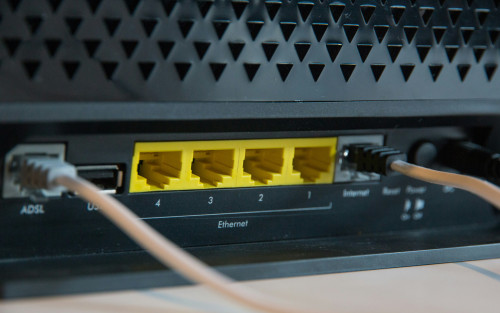
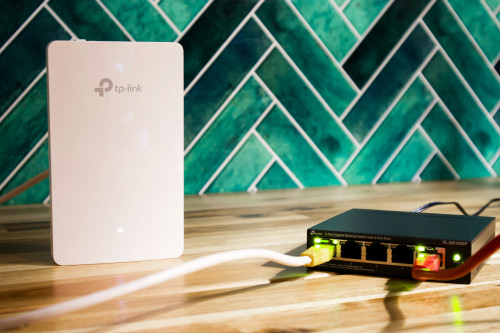
A professional online presence starts with a fast and stable internet connection. Few things look more unprofessional than frozen video calls, lagging audio, or dropped connections.
When choosing internet service for your home office, consider the following:
- Speed: If you regularly join video meetings, share large files, or work in cloud-based systems, aim for at least 200 Mbps download and 100 Mbps upload speeds. Many fiber and cable providers in the U.S. offer plans that easily meet these needs.
- Stability: Fiber-optic internet is generally the most reliable option, but high-quality cable and 5G home internet can also deliver strong performance depending on your location.
- Router placement: Position your router in a central, open area—ideally near your workspace. Avoid hiding it behind furniture or in a cabinet, as that can weaken the signal.
- Security: Protect your data by using a strong Wi-Fi password and keeping your router’s firmware up to date.
It’s a good idea to test your connection regularly. Many U.S. internet providers, such as Comcast, AT&T, and Verizon, offer free online speed tests so you can confirm you’re getting the performance you’re paying for.
Make a Strong Digital First Impression
When you work remotely, your online presence is often the first—and sometimes only—impression colleagues, clients, and partners have of you. That’s why it’s important to present yourself professionally across all digital platforms.
- Update your profiles: Make sure your LinkedIn, Zoom, or Slack profiles include a professional photo, a clear job title, and a concise summary of your skills.
- Choose a clean background: During video calls, use a tidy, well-lit background or a virtual one that reflects your company’s branding.
- Check your lighting and sound: Invest in a quality headset and an external microphone if you’re frequently in meetings. Natural light from the front or a ring light can make a big difference in how you appear on camera.
- Be consistent: Use the same tone, colors, and style across your professional platforms. Consistency builds recognition and signals reliability.
Læs også:

Design a Home Office That Supports Productivity
A well-designed home office isn’t just about aesthetics—it’s about functionality. A calm, ergonomic, and technically equipped workspace helps you perform better and communicate more effectively.
- Ergonomics: Invest in a supportive chair and an adjustable desk so you can alternate between sitting and standing.
- Sound environment: If you live in a noisy area, consider adding rugs, curtains, or acoustic panels to reduce background noise.
- Tech setup: A second monitor, a high-quality webcam, and a reliable docking station can make your daily workflow smoother.
- Backup and security: Use cloud storage for your files and enable two-factor authentication to protect sensitive information.
A professional home office shows that you take your work seriously—even when you’re working from your living room.
Communication and Availability
When you’re not physically in the same space as your coworkers, clear communication becomes even more important. A professional online presence also depends on how you interact digitally.
- Be available: Clearly indicate your working hours in your calendar and respond to messages within a reasonable timeframe.
- Use your camera: Turning on your camera during meetings helps build trust and connection.
- Mind your tone: Written communication can easily be misinterpreted. Use a friendly, clear tone and consider how your messages might be received.
- Take breaks: It’s easy to lose track of time when working from home. Short breaks help maintain focus and prevent burnout.
Digital Professionalism as a Career Advantage
A strong online presence isn’t just about technology—it’s an investment in your career. When you appear professional, dependable, and tech-savvy, you strengthen your personal brand and open doors to new opportunities.
Employers increasingly value digital communication skills. Being able to manage virtual meetings smoothly, present yourself confidently, and handle technical issues calmly are qualities that stand out in today’s job market.
A Home Office That Reflects Your Professionalism
Working from home requires discipline, structure, and the right technical setup. With a reliable internet connection, a thoughtfully designed workspace, and a consistent digital presence, you can project professionalism no matter where you are.
It’s not just about being online—it’s about being present in a way that inspires trust, collaboration, and quality.
Læs også: